If you’ve ever struggled with slow internet, fuzzy TV channels, or a CCTV system that doesn’t quite deliver clear footage, the culprit is often closer than you think. The problem usually lies in the coaxial cable connecting your devices. These cables, which consist of a central conductor, insulation, shielding, and an outer jacket, are deceptively simple but play a huge role in signal transmission. Choosing the wrong one can lead to signal loss, interference, or degraded performance, even if your devices are top-of-the-line.
From my experience, picking the right coaxial cable matters more than most people realize. Internet connections need high-speed data capacity, TV systems require minimal signal loss for clear picture quality, and CCTV setups demand reliable transmission to capture every detail. In this post, I’ll walk you through how to select the best coaxial cable for each of these critical applications so you can get consistent, high-quality performance.
What Is a Coaxial Cable?
A coaxial cable is a type of electrical cable designed to transmit high-frequency signals with minimal interference. It’s widely used in Internet connections, television distribution, and CCTV systems because it maintains signal quality over distance.
Basic Structure:
- Inner Conductor: This central wire, usually made of copper, carries the signal. Its quality directly affects signal strength and reliability.
- Dielectric Insulator: Surrounding the conductor is a non-conductive layer that keeps the signal confined to the center and maintains consistent spacing from the outer shield.
- Shielding: A metal layer, often braided copper or foil, protects the signal from electromagnetic interference (EMI), ensuring the signal remains clean and strong.
- Outer Jacket: The external layer protects the cable from physical damage, moisture, and environmental wear.
How It Transmits Signals:
The signal travels along the inner conductor while the shielding prevents outside interference. This layered design ensures the signal maintains its integrity even over long distances.
Advantages:
From my experience, coaxial cables offer several key benefits:
- Excellent EMI protection for interference-free transmission
- Reliable signal strength over long distances
- Durability and flexibility suitable for indoor and outdoor installations
Understanding these basics helps you see why coaxial cables remain a trusted choice for internet, TV, and CCTV applications, and sets the foundation for choosing the right type for your project.
How Coaxial Cables Work
Once you understand the basic structure of a coaxial cable, the next step is to see how it actually works. From my experience, knowing how signals travel through the cable helps you understand why coaxial cables are often preferred for internet, TV, and CCTV applications compared to other types of wiring.
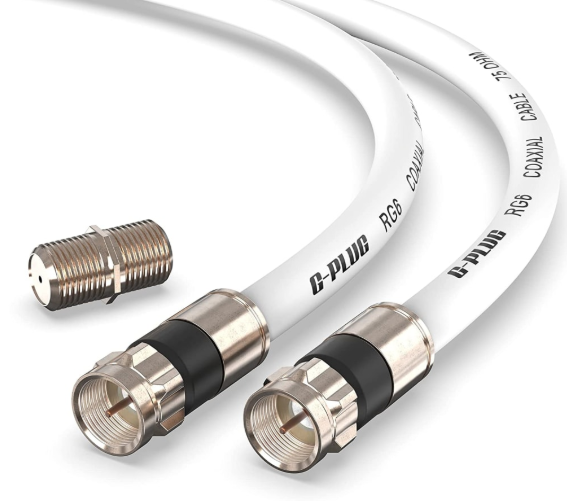
Coaxial cables are designed with a layered structure that allows efficient signal transmission while minimizing interference.
The electrical signal travels along the inner conductor, while the shielding prevents outside noise from interfering. This design ensures that signals, whether video, data, or internet, remain stable and strong even over long distances.
Signal Requirements for Different Applications(Internet, TV, and CCTV)
After understanding how coaxial cables work, the next step is to consider the signal requirements for your specific application. From my experience, different systems have very different needs, and using the wrong cable can cause slow internet, poor TV reception, or blurry CCTV footage. Knowing what each application demands helps you select the right cable for performance and reliability.
Signal Requirements for Different Applications
Internet
For internet connections, I always focus on high-speed data transmission and bandwidth. Coaxial cables need to support fast upload and download speeds, minimal attenuation, and consistent signal strength. For broadband and cable internet, RG6 is usually my go-to because it handles high-frequency data efficiently.
TV
Television signals can be analog or digital, and may come from cable or satellite providers. I choose cables that maintain signal quality over the distance required, prevent interference, and match the system impedance. For most homes, RG6 works best, while RG11 can be used for long runs or higher-quality HD signals.
CCTV
For CCTV systems, video quality, distance, and resistance to interference are my main concerns. Short-distance analog cameras can use RG59, while HD-over-coax systems often benefit from RG6 for better signal integrity. Shielding is also important to prevent electromagnetic noise from distorting the video.
Key Specifications to Consider When Choosing Coaxial Cables
Once you know the application and signal requirements, the next step is to look at the 5keys specifications that determine cable performance. From my experience, understanding these technical details makes it much easier to choose a coaxial cable that delivers reliable, high-quality signals for internet, TV, or CCTV systems.
5Keys Specifications to Consider
1.Impedance: 75 Ohm vs 50 Ohm
Impedance must match your equipment. I use 75-ohm cables for TV and CCTV applications because they offer low signal loss over longer distances. For RF or data applications, 50-ohm cables are preferred to ensure proper power handling and signal integrity.
2.Signal Loss (Attenuation) and Frequency Range
I always check the cable’s attenuation rating and frequency range. Lower attenuation is critical for maintaining signal quality, especially over longer runs. Higher frequency support is essential for broadband internet and HD video transmission.
3.Shielding Quality
Shielding prevents electromagnetic interference. I consider whether the cable uses braid, foil, or dual shielding, and the percentage of coverage. Better shielding improves signal clarity, especially in electrically noisy environments like industrial or residential areas with multiple devices.
4.Cable Thickness and Flexibility
Thicker cables generally have lower signal loss but are less flexible. I balance performance and ease of installation, choosing cables that fit my space while maintaining strong signal quality.
5.Jacket Material and Environmental Resistance
The outer jacket protects against physical damage, UV light, moisture, and chemicals. For indoor use, standard PVC jackets are usually sufficient. For outdoor or harsh environments, I always select cables with weatherproof or UV-resistant jackets to ensure durability.
What Are The Best Coaxial Cable for Internet
Now that we’ve covered signal requirements for different applications, let’s start by looking at Internet connections, which demand cables capable of handling high-speed data reliably. From my experience, using the wrong coaxial cable for your broadband or cable modem can lead to slow speeds, intermittent connections, or signal degradation, especially on longer runs.
The Best Coaxial Cable for Internet
High-Frequency Handling and Low Signal Loss
Internet signals require coaxial cables that can handle high-frequency data while minimizing signal attenuation. Poor shielding or lower-quality cables can cause interruptions, reduced bandwidth, and slower download/upload speeds.
Recommended Types
Based on my experience, the best choices are:
- RG6 Quad Shield: Offers excellent shielding and low signal loss, ideal for most residential and commercial Internet connections.
- RG11: Thicker and even lower loss, making it perfect for longer runs, outdoor installations, or when connecting multiple devices.
Considerations for Long Runs
For distances over 50–100 meters, RG11 is often preferable due to its lower attenuation, ensuring the signal reaches the modem or router without degradation. If you use RG6 for long runs, adding a signal amplifier may be necessary.
Compatibility with Modems and Routers
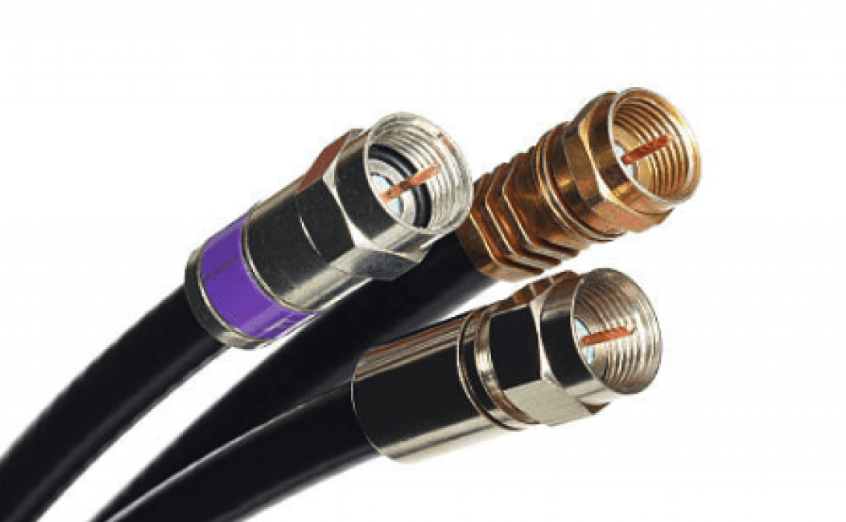
It’s important to match the impedance (usually 75 ohms) and connector type (typically F-type) with your modem or router. I always double-check the equipment specifications to ensure the cable and connectors are fully compatible, avoiding any unnecessary signal loss or connection issues.
Using the right coaxial cable for Internet guarantees stable, high-speed connections that make the most of your service and hardware.
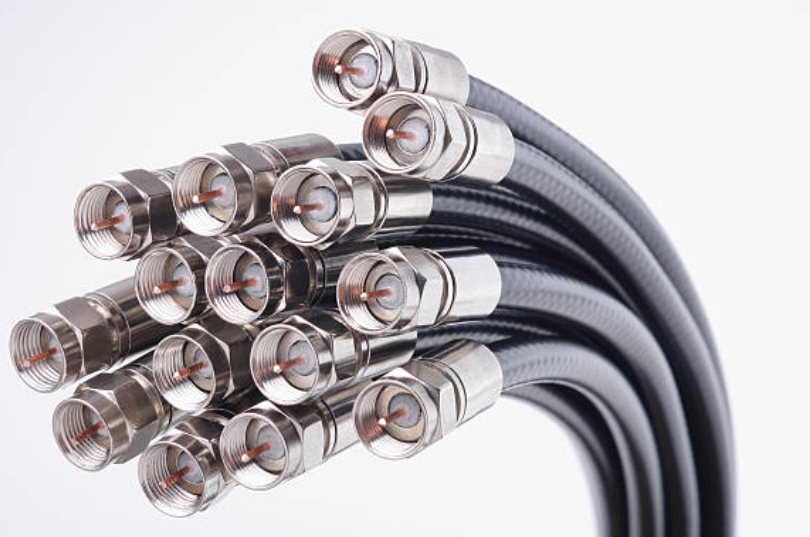
What Are The Best Coaxial Cable for TV
When it comes to Internet connections, not all coaxial cables are created equal. From my experience, the wrong cable can drastically affect your speed and reliability, even if your modem or router is top-of-the-line. Choosing the right coaxial cable ensures that your high-frequency data signals travel efficiently with minimal interference and signal loss, giving you a fast and stable connection every time.
The Best Coaxial Cable for Internet
High-Frequency Handling and Low Signal Loss
Internet signals operate at high frequencies, so it’s crucial to use a cable that can handle these frequencies without significant signal attenuation. Good shielding and low-loss materials are essential for maintaining fast and reliable Internet performance, especially for streaming, gaming, and heavy downloads.
Recommended Types
Based on my experience, the best options are:
- RG6 Quad Shield: Excellent shielding and low signal loss, suitable for most residential and commercial Internet setups.
- RG6 Quad Shield: Excellent shielding and low signal loss, suitable for most residential and commercial Internet setups.
Considerations for Long Runs
For cable runs exceeding 50–100 meters, I recommend RG11 because it maintains signal strength over long distances. If RG6 is used for longer runs, adding a signal amplifier can help prevent speed drops and instability.
Compatibility with Modems and Routers
Always ensure the cable matches the impedance (75 ohms) and connector type (usually F-type) of your modem or router. I’ve found that mismatched connectors or poor-quality cables can lead to intermittent connections, even with the fastest Internet service.
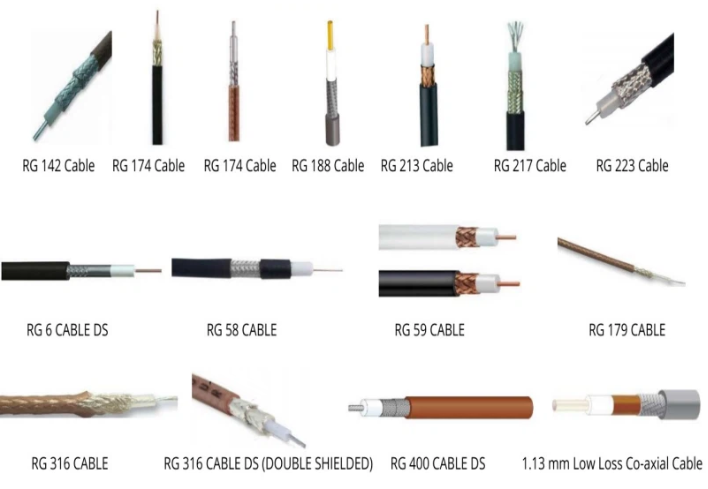
What Are The Best Coaxial Cable for CCTV
After discussing Internet cables, it’s important to consider CCTV systems, which have very specific signal and durability requirements. From my experience, the right coaxial cable ensures clear video, minimal interference, and long-lasting performance, whether you’re installing a simple analog camera or a full HD surveillance system. Choosing the wrong cable can result in blurry footage, signal degradation, or frequent maintenance issues.
The Best Coaxial Cable for CCTV
Digital vs. Analog CCTV Systems
Analog systems are more forgiving and typically require standard coaxial cables, while HD-over-coax or digital CCTV systems need cables that handle higher frequencies with lower signal loss to maintain high-definition video quality.
Recommended Cable Types
Based on my experience:
- Analog CCTV: RG59 works well for short to medium runs, providing reliable video transmission.
- HD-over-coax or long-distance digital CCTV: RG6 or RG11 offers lower signal loss and better shielding, maintaining video clarity over longer distances.
Power + Video Coaxial Combo Cables
For convenience and cleaner installations, I often use combo cables that carry both video and power in a single jacket. This reduces wiring complexity and helps maintain a neat setup, especially in multi-camera systems.
Indoor vs. Outdoor Applications
For outdoor installations, I always choose cables with weatherproof or UV-resistant jackets to withstand rain, sunlight, and temperature changes. Indoor cables can be standard jackets but still need proper shielding to prevent interference from nearby electronics.
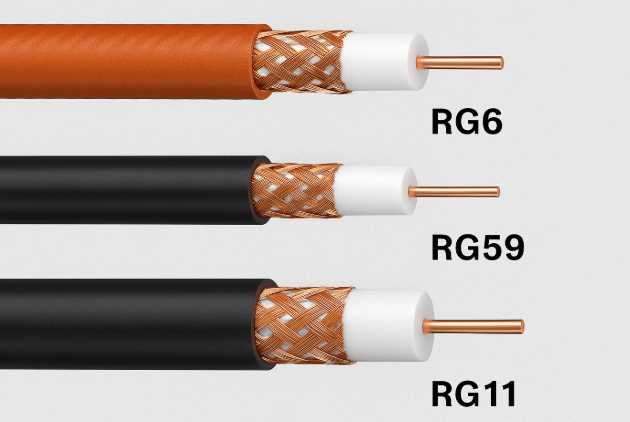
What Are The Differences Between RG6, RG59, And RG11 Cables?
Once you understand the applications and signal requirements for Internet, TV, and CCTV, the next step is to look at the different types of coaxial cables. From my experience, RG6, RG59, and RG11 are the most common, but each has unique characteristics that make it better suited for certain uses. Choosing the wrong type can lead to signal loss, interference, or unnecessary installation difficulties, so it’s important to know their differences.
Comparison of RG6, RG59, and RG11
| Feature / Cable Type | RG6 | RG59 | RG11 |
| Diameter | 6.9 mm | 6.1 mm | 10.5 mm |
| Signal Loss | Low loss, good for medium runs | Higher loss, suitable for short runs | Very low loss, ideal for long runs |
| Shielding | Quad or dual shielding, strong EMI protection | Single or dual shielding, moderate EMI protection | Quad shielding, excellent EMI protection |
| Flexibility | Medium, easy to route | Very flexible, easy to handle | Low, less flexible, harder to bend |
| Best For | Internet, cable TV, HD video | Analog CCTV, short-run video | Long-distance TV, satellite, broadband, HD video |
| Cost | Moderate | Low | Higher |
From my experience, RG6 is a versatile choice for most Internet and TV setups, RG59 works well for short analog CCTV runs, and RG11 is perfect for long-distance or high-performance applications where signal integrity is critical. Choosing the right cable type ensures reliable signal, clear video, and minimal interference.
Installation Tips
Selecting the right coaxial cable is only half the battle. From my experience, how you install the cable has just as much impact on signal quality and reliability. Poor installation can lead to interference, signal loss, and even damage to your equipment. By paying attention to installation best practices, you can ensure your internet, TV, and CCTV systems perform at their best.
Installation Tips
1.Ensuring Optimal Signal Quality
I always make sure cables are kept straight and untwisted wherever possible. Sharp bends or kinks can degrade the signal. Maintaining the proper cable length without excessive slack also helps reduce signal loss and reflection.
2.Connector Types for Internet, TV, and CCTV
Different systems require different connectors. For internet modems and routers, I use F-type connectors. For TV and satellite, F-type or RG6-compatible connectors are common. For CCTV systems, BNC connectors are preferred. Ensuring connectors match your equipment prevents signal issues and loose connections.
3.Avoiding Interference and Proper Routing
I always route cables away from high-voltage power lines, fluorescent lights, and heavy machinery, as these can cause electromagnetic interference. Using shielded cables and proper grounding helps maintain signal clarity.
4.Professional vs DIY Installation
While DIY installation is possible, I’ve found that professional installation often ensures proper termination, correct bending radius, and secure connections, which is especially important for long runs, outdoor setups, or high-definition CCTV systems. When in doubt, a professional can save time and prevent costly mistakes.
Custom vs. Standard Coaxial Cables
When selecting coaxial cables for your internet, TV, or CCTV setup, one key decision is whether to use standard off-the-shelf cables or custom-made solutions. From my experience, standard cables are sufficient for most home or small-office applications where the runs are short and the environmental conditions are typical. They are cost-effective, widely available, and quick to install.
However, for long-distance runs, industrial-grade installations, or specialized environments, I always recommend custom coaxial cable assemblies. Custom cables can be designed to meet specific requirements such as exact lengths, enhanced shielding for high-EMI areas, weatherproof jackets for outdoor use, or higher durability for industrial machinery. These tailored solutions help prevent signal loss, interference, and premature wear.
When choosing a manufacturer, I prioritize those with certifications like ISO 9001, UL, and IATF 16949 to ensure reliability and quality. Yihetai, for example, has over 23 years of experience in custom cable and wire harness manufacturing, fully compliant with these standards, and offers design-to-delivery services with 100% testing and full traceability, giving me confidence that the cables will meet both performance and safety requirements.
Conclusion
After looking at the different options, here’s what I’ve found works best for each application. For internet connections, RG6 cables are usually ideal because they handle high-frequency broadband with minimal signal loss. For TV, RG6 or RG11 works well depending on the distance, providing stable and clear video. For CCTV systems, RG59 is often sufficient for short runs, while RG6 is better for longer distances or HD cameras.
From my experience, using high-quality cables makes a huge difference in both signal clarity and durability. Cheaper or mismatched cables can cause interference, weak connections, and may fail sooner than expected.
My final advice is to always match the cable type to your specific need and environment. If you’re looking for reliable options or custom solutions, I recommend checking out Yihetai’s coaxial cable products and custom cable harness services, which can be tailored precisely to your project requirements.