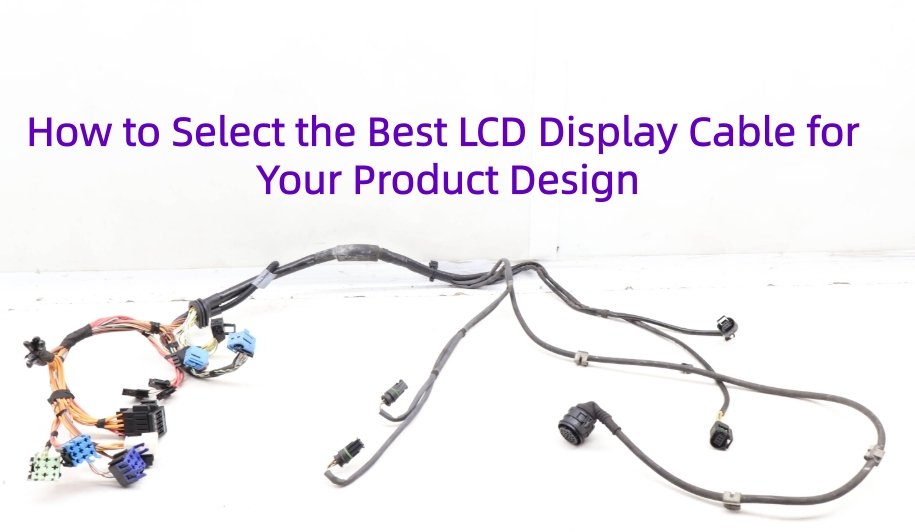
In modern electronic product design, the LCD display is more than just a visual interface. It is a critical component that affects user experience, product functionality, and overall system performance. However, one of the most overlooked yet essential parts of integrating an LCD screen is selecting the right display cable.
Whether you are developing an automotive infotainment system, a medical device, or an industrial control panel, choosing the wrong cable can lead to signal distortion, electromagnetic interference, mechanical failure, or even complete redesigns.
This bloge i will walk you through a clear step-by-step process to help you choose the best LCD display cable for your project. You will learn how to match the interface type, evaluate mechanical and environmental factors, understand connector requirements, and assess construction quality and certifications. You will also discover how custom cable solutions from Yihetai can help optimize your product design with precision and confidence.
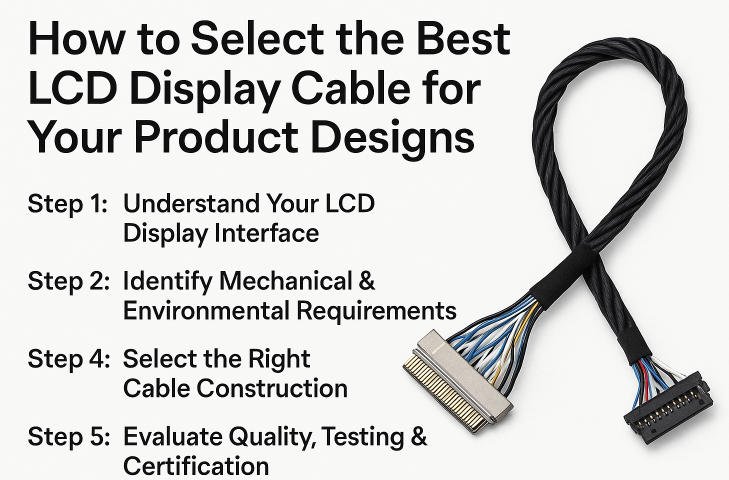
Choosing the right LCD display cable is not as simple as picking one off the shelf. Every product design has its own technical demands, mechanical limitations, and environmental challenges. Whether you’re designing a compact consumer device or a rugged industrial display, your cable choice plays a vital role in ensuring signal integrity, durability, and overall performance. To help you navigate the selection process with confidence, we’ve outlined 5 essential steps that cover everything from interface compatibility to quality assurance:
- Step 1:Understand Your LCD Display Interface
- Step 2:Identify Mechanical and Environmental Requirements
- Step 3:Define Your Connector Requirements
- Step 4:Select the Right Cable Construction
- Step 5:Evaluate Quality, Testing, and Certification
By following these steps, you can avoid common pitfalls, improve your product’s reliability, and ensure your LCD cable perfectly fits your design needs.
Step 1: Understand Your LCD Display Interface
The first and most important step in selecting the right LCD display cable is understanding the technical requirements of your display module. Not all cables are created equal, and using the wrong type can lead to poor performance, unstable connections, or even damage to your device. To avoid these issues, you must start with a clear understanding of your display’s interface specifications, electrical characteristics, and signal requirements. This foundational knowledge will guide all other decisions in the cable selection process.
Step 1: Understand Your LCD Display Interface
Start by reviewing the datasheet or technical manual of your LCD module. Key details you need to identify include:
1.Interface Type
The interface defines how the LCD panel communicates with the mainboard or graphics controller. Common interface types include:
- LVDS (Low-Voltage Differential Signaling): Widely used in automotive and industrial displays due to its high-speed performance and noise immunity.
- eDP (Embedded DisplayPort): Common in laptops and high-resolution displays, offering higher bandwidth than LVDS.
- MIPI (Mobile Industry Processor Interface): Frequently found in smartphones and tablets; supports compact, high-speed data transmission.
- HDMI: Typically used in consumer electronics for plug-and-play external display connections.
- FFC/FPC (Flat Flexible Cable/Flexible Printed Circuit): Ideal for small form-factor devices and short-distance connections.
Each of these interfaces requires a compatible cable structure and connector type to ensure reliable data transmission.
2.Resolution and Frame Rate
Higher resolution and faster refresh rates demand better signal quality and more robust cable designs. For example, a 1920×1080 display at 60Hz using LVDS will require well-shielded twisted-pair conductors to maintain signal integrity.
3.Voltage Levels and Signal Method
Check the signal voltage (e.g., 1.8V, 3.3V) and whether it uses differential or single-ended signaling. This information ensures you select a cable with the proper insulation, shielding, and conductor configuration.
Example: LVDS Interface
If your display uses an LVDS interface, some common and widely used cable assemblies include:
- JAE FI Series (FI, FI-X, FI-RE): Known for compact size and secure locking mechanisms
- IPEX 20453 and 20142: Micro-coaxial connectors ideal for space-saving designs
- HRS DF14 or DF13 Series: Popular choices in industrial and automotive applications
- Molex 51146 Series: Standard LVDS connectors with good electrical performance
Choosing the correct connector and matching it with a shielded twisted-pair cable will ensure minimal EMI and strong signal integrity in your system.
Step 2: Identify Mechanical & Environmental Requirements
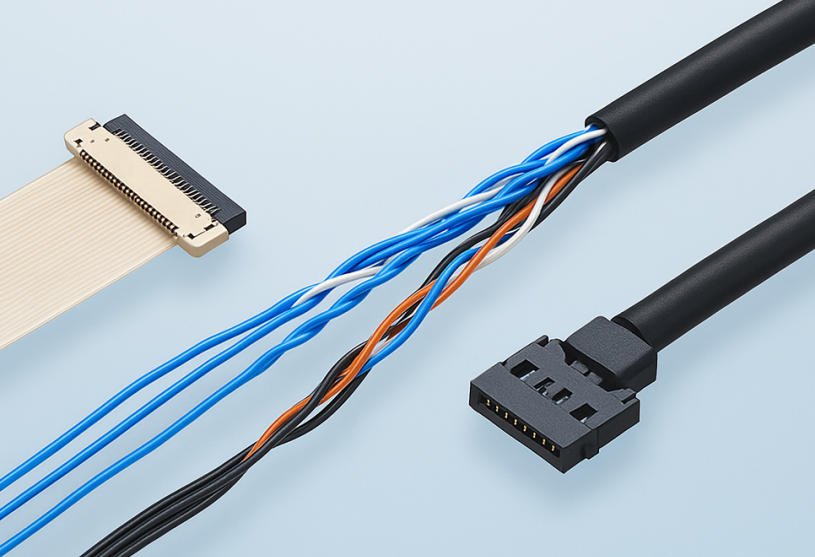
After determining the electrical interface of your LCD display, the next step is to assess the physical and environmental conditions where your product will operate. Even the best-matched cable electrically may fail if it cannot withstand the physical layout or environmental stress of your application.
Designing with mechanical and environmental factors in mind ensures your LCD cable fits the space, lasts through product life cycles, and remains reliable in challenging conditions.
1.Cable Length
Longer cables are more susceptible to signal degradation, especially at higher data rates. If your design requires a cable longer than 30 cm, signal integrity becomes a critical issue. In such cases, you may need to:
- Use shielded cables
- Optimize routing to avoid electromagnetic interference (EMI)
- Select a cable with controlled impedance for high-speed signals
2.Bending Radius
If the cable needs to bend or twist inside the enclosure, check its minimum bend radius. Overbending can lead to internal damage or broken conductors. For flexible designs, consider:
- FFC/FPC cables for compact, fixed-bend applications
- Micro-coax or flexible LVDS cables for dynamic bending environments
3.Cable Thickness
In products with limited internal space such as slim displays, handheld devices, or embedded systems cable thickness can be a major constraint. Thinner cables offer better flexibility and routing options, but must still meet electrical and mechanical requirements. Flat or ultra-thin ribbon cables may be ideal in these cases.
4.Vibration Resistance
In automotive or industrial equipment, vibration is unavoidable. Connectors may loosen, and cables may fatigue over time. To address this, choose:
- Locking connectors (e.g., JAE FI-X with lock)
- Reinforced cable assemblies with strain relief
- Shielded and overmolded constructions for added durability
5.Temperature Extremes
Outdoor products, HVAC systems, and industrial equipment may operate in extreme temperature ranges. Cable insulation and jacket materials must be rated for the required temperature range (for example, -40°C to +85°C or higher). Consider using:
- Heat-resistant materials like Teflon or silicone
- Flame-retardant cables if safety compliance is required
6.Exposure to Moisture, Dust, or Chemicals
For applications in harsh environments such as outdoor kiosks, factory floors, or medical equipment—cables must be sealed or protected. Look for:
- IP-rated connectors
- Overmolded or jacketed assemblies
- Moisture-resistant and chemical-resistant insulation
Tip: For automotive, industrial, or rugged outdoor environments, always use shielded and heat-resistant cables. These offer improved EMI protection and long-term reliability under stress.
Step 3: Define Your Connector Requirements
Once you’ve defined the electrical interface and accounted for mechanical and environmental constraints, the next step is to carefully select the right connectors. Connectors are the critical link between your display and the controller, and choosing the wrong type can result in poor fit, unstable signals, or mechanical failure. A well-matched connector ensures secure communication, reliable power delivery, and a smooth integration into your overall product assembly.
Step 3: Define Your Connector Requirements
Choosing the correct connectors for both ends of your LCD cable is just as important as the cable itself. Here are 4keys what you need to consider:
1.Match Both Ends
Start by identifying the connector requirements for both the LCD display side and the mainboard or controller side. These may not always be the same, especially if you are designing around off-the-shelf modules or working with custom PCBs.
Examples of common LCD-side connectors include:
- JAE FI-X Series: Popular for LVDS connections with a secure locking mechanism.
- IPEX 20453 or 20142: Micro-coaxial connectors used in compact devices where space is limited.
- HRS DF14 or Molex 51146: Common in industrial and automotive systems for their stability and availability.
You’ll need to confirm the part number or series used in your display and ensure your cable assembly uses the matching connector type.
2.Pin Pitch
The pin pitch refers to the spacing between pins in the connector. It is critical for ensuring electrical compatibility and proper mating.
Common pin pitches include:
- 0.5mm or 1.0mm: Often used in FFC or micro-coax connectors.
- 2.0mm or 2.54mm: Found in more robust, general-purpose connectors.
Using the wrong pitch can result in electrical shorting or mechanical misalignment.
3.Orientation
The connector’s orientation determines how it fits into the system layout. Depending on your space constraints, you may need:
- Right-angle connectors for low-profile, horizontal installations.
- Straight connectors when vertical space is available or preferred.
Choosing the correct orientation helps avoid mechanical interference and simplifies assembly.
4.Locking Mechanism
In applications exposed to vibration or movement, such as automotive or industrial environments, a locking mechanism is essential. This ensures that the cable stays firmly connected, preventing intermittent signal loss or accidental disconnection.
Popular locking types include:
- Friction locks
- Latch-type mechanisms
- Snap-in styles commonly found in JAE FI or IPEX designs
Step 4: Select the Right Cable Construction
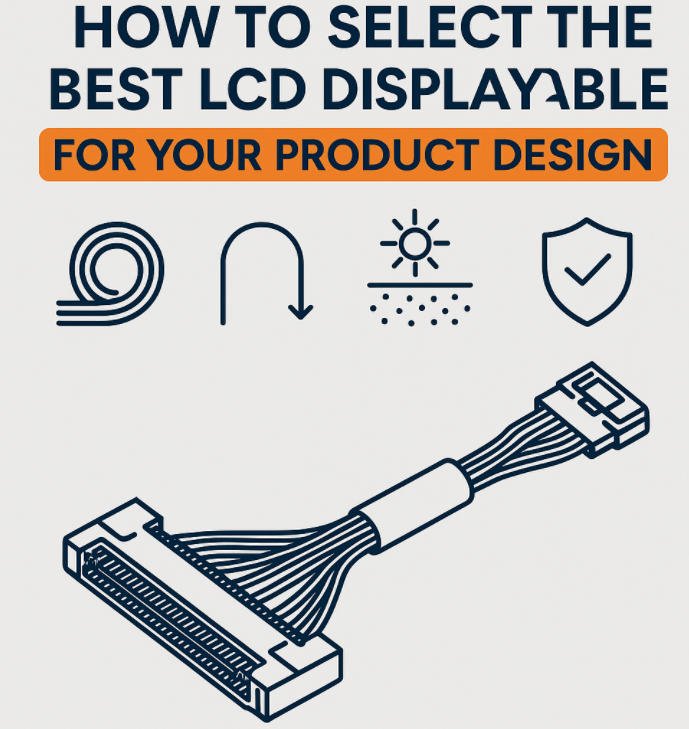
After finalizing your connector choice, it’s time to focus on the cable construction itself — the internal structure and material choices that directly impact signal integrity, durability, and EMI resistance. Selecting the wrong type of cable can result in data errors, noise interference, or mechanical failure. This step is especially important for high-speed signals like LVDS or environments with electrical noise.
Choose the Right Internal Cable Structure:
1.Twisted Pair
For differential signal transmission, such as LVDS or eDP, twisted pair cables are essential. The pairing of signal and ground lines helps maintain signal integrity over longer distances and reduces crosstalk. Each pair should also be impedance-matched for optimal performance.
Use Case: LVDS cables for automotive or industrial displays commonly use twisted pair construction, with additional shielding for EMI protection.
2.Shielded Cable
If your product operates in a noisy electromagnetic environment such as near motors, power supplies, or RF sources a shielded cable is highly recommended. Shielding can be in the form of foil, braided copper, or both, and helps prevent signal degradation and ensures data reliability.
Tip: Use double-shielded cables for mission-critical applications like medical or aerospace electronics, where even minor interference could be unacceptable.
3.Flat Ribbon Cable / FFC (Flexible Flat Cable)
For short-distance connections in space-constrained designs, flat ribbon cables or FFC are a simple, compact, and cost-effective solution. They are easy to route, lightweight, and ideal for connections within handheld or portable devices.
Note: These cables are generally unshielded and may not be suitable for high-speed or high-noise environments unless additional shielding is applied.
Don’t Forget Mechanical Protection:
Overmolding and Strain Relief
Even a well-chosen cable can fail at the termination point if it’s not properly protected. Adding overmolding around the connector or implementing strain relief boots helps prevent damage due to pulling, bending, or vibration extending the life of the cable.
Example: In automotive display systems, we often overmold IPEX or JAE connectors to ensure they stay secure despite continuous vibration and thermal cycling.
Yihetai Cable Expertise:
At Yihetai, we offer a full range of construction options including twisted pair LVDS cables, EMI-shielded assemblies, and custom overmolded solutions. Whether your design calls for ultra-flexible FFCs or ruggedized micro-coax cables, our engineering team can help tailor the structure to your exact needs ensuring both electrical performance and mechanical reliability.
Step 5: Evaluate Quality, Testing & Certification
Even with the correct interface, mechanical fit, and cable structure, your LCD display cable is only as reliable as its manufacturing quality and testing standards. Poor-quality cables can introduce noise, fail under electrical stress, or degrade over time especially in critical applications like automotive, industrial, or medical devices. That’s why it’s essential to verify not just the design, but also the quality assurance and certification practices behind the cable you choose.
Step 5: Evaluate Quality, Testing & Certification
When selecting an LCD display cable for your product, make sure the final assembly meets the highest levels of quality control. Here’s what to look for:
1.Electrical Testing Is a Must
High-performance cables should undergo comprehensive electrical testing before shipment. At a minimum, ensure your cable supplier performs:
- Continuity Testing: Verifies that each wire path is properly connected from end to end with no open circuits
- Impedance Testing: Ensures impedance is consistent across the cable critical for high-speed signals like LVDS and eDP
- High-Voltage Insulation Testing: Checks for insulation strength and safety under voltage stress
- EMI Testing: Ensures the cable doesn’t emit or pick up unwanted electromagnetic interference
- These tests help eliminate defects and reduce field failure rates in your product.
2.Look for Industry Certifications
Certifications are not just paperwork they reflect a manufacturer’s commitment to standardized quality systems and process traceability. Depending on your industry, the following certifications may be required:
- UL (Underwriters Laboratories): Confirms compliance with safety standards for wire and cable materials
- ISO 9001: Ensures the manufacturer follows a recognized quality management system
- IATF 16949: Required for automotive applications, covering process consistency and defect prevention
- ISO 13485 (optional for medical): Indicates suitability for use in regulated medical environments
Working with a certified manufacturer gives you confidence that every cable meets the same rigorous standards.
3.Full Traceability & Batch Control
A reliable manufacturer should provide full production traceability, including:
- Raw material sources
- Batch numbers
- Inspection records
- Testing logs
This allows for quick response to quality issues, effective recalls if needed, and a strong audit trail especially important in regulated industries.
4.Choose a Trusted Partner
When working with custom LCD cables, choose a supplier like Yihetai who offers:
- 100% tested cables
- Detailed inspection reports
- Full traceability across every production stage
- Over 23 years of industry experience
- Compliance with UL, ISO9001, and IATF 16949 standards
Why Custom LCD Cables Are Often the Best Choice
After evaluating technical specs, mechanical constraints, connector types, and certification requirements, many product developers reach the same conclusion off-the-shelf LCD cables simply cannot meet all their needs. While standard cables may be quick to source, they rarely offer the precise fit, performance, or reliability needed for modern product designs.
This is where custom LCD cable assemblies become the smarter and more efficient solution.
1.Off-the-Shelf Cables Often Fall Short
Standard cables are typically designed for general-purpose use, which means they may not align with your unique design constraints. Common issues include:
- Incorrect length: Too long or too short for your enclosure, requiring awkward routing
- Mismatched connectors: One end fits your LCD, but the other doesn’t match your controller
- Inflexible structure: Not suitable for tight spaces, bending, or dynamic movement
- Lack of durability: Inadequate shielding, strain relief, or environmental protection for rugged applications
In high-performance or space-constrained devices, these mismatches can lead to poor reliability, increased EMI, or even mechanical failure.
2.The Advantages of Going Custom
When you choose a custom LCD cable solution, you gain full control over every detail of the cable design. At Yihetai, we support customers through the entire development process, offering:
Full in-house development
From connector selection, wire gauge, shielding, to overmolding, we design and manufacture every component to your exact specifications.
Prototyping and engineering support
Our team helps validate your design early, reducing time to market and avoiding costly redesigns.
Cost-effective production
Whether you need low-volume batches or high-volume production runs, our streamlined manufacturing ensures competitive pricing without compromising quality.
Flexible configurations
Custom pinouts, multi-branch cable trees, twisted pair structures, or mixed signal-power combinations we build it all to suit your device.
3.Tailored for Real-World Reliability
Custom cables can be optimized to withstand your specific environmental and mechanical conditions. This means:
- Heat-resistant jackets for outdoor or high-temperature use
- Locking connectors for vibration resistance in automotive or industrial settings
- Compact cable profiles for space-limited enclosures
- Medical-grade materials for cleanroom compliance
These tailored features dramatically reduce field failures and improve long-term product reliability.
By choosing a custom LCD cable solution, you ensure that your product works seamlessly and reliably without compromise. With full in-house capabilities, rigorous testing, and years of experience, Yihetai delivers cable assemblies that are engineered for your success.
Real-World Scenarios
Case 1: Automotive Display
Application: In-vehicle infotainment system using an LVDS panel
Connector: Locking JAE FI-X
Challenge:
The vehicle environment involved constant vibration and temperature fluctuations. The standard cable used in prototyping suffered from intermittent signal loss during testing, especially under load and long-term vibration.
Solution:
A custom shielded LVDS cable was developed using twisted-pair wiring to ensure signal integrity. The connector was upgraded to a JAE FI-X with locking mechanism, preventing disconnection from vibration. The cable also passed EMI compliance tests, ensuring stable performance within automotive standards.
Result:
Reliable high-speed data transmission, no dropouts under vibration, and full compliance with automotive EMI regulations.
Case 2: Industrial Touchscreen Panel
Application: Compact industrial HMI (Human-Machine Interface)
Connector: IPEX20453
Challenge:
The internal space within the device enclosure was extremely limited. The display required a cable with a custom length of only 22cm, while also maintaining flexibility and durability across a wide temperature range.
Solution:
A micro-coax cable with an IPEX20453 connector was designed, combining ultra-thin construction with strong shielding. The assembly was tested for performance across a temperature range of -20°C to +85°C, making it suitable for industrial and outdoor environments.
Result:
Perfect mechanical fit, flexible routing, and consistent signal quality in both cold and hot operating conditions.
Case 3: Medical Equipment
Application: Cleanroom-compliant imaging equipment
Cable Type: Custom FFC
Challenge:
Medical devices used in sterile environments require materials that emit low particulates and resist contamination. The design also needed to fit into a compact footprint without affecting image quality.
Solution:
A custom FFC cable was manufactured using medical-grade insulation, designed specifically for low outgassing and minimal particle shedding. The cables were tested in cleanroom-like conditions to ensure full compliance with hygiene standards.
Result:
Reliable, compliant cable assembly suitable for sensitive medical environments, supporting both safety and performance requirements.
Why Engineers Trust Yihetai for LCD Cable Solutions
Choosing the right LCD cable is only part of the equation. The real success comes from working with a supplier who understands your technical needs, provides engineering support, and delivers consistent quality from prototype to production. That is why engineers across industries continue to rely on Yihetai for their custom LCD cable projects.
Over 23 Years of Experience
With more than two decades of experience in custom cable manufacturing, Yihetai has worked with clients across automotive, industrial, medical and consumer electronics sectors. This deep industry knowledge allows us to recommend the most suitable cable types, materials and connectors for your specific application.
Certified Quality Management
Our manufacturing processes are fully certified to ISO 9001 and IATF 16949, ensuring that every step — from raw material sourcing to final inspection — meets strict international standards. These certifications are especially important for products used in regulated industries like automotive and healthcare, where reliability and safety cannot be compromised.
Full Testing and Traceability
Every cable we produce goes through one hundred percent functional testing for continuity, voltage, impedance and visual inspection. We maintain complete production records for full traceability, which gives our customers peace of mind when it comes to performance and long term reliability.
Broad Product Portfolio
Yihetai offers a wide range of display cable assemblies, including:
- LVDS cables for high resolution display panels
- IPEX and JAE connectors for compact embedded designs
- HRS and Molex assemblies for industrial and automotive use
- FFC and ribbon cables for lightweight, flexible applications
We can design, prototype and manufacture cable assemblies using a wide variety of standard and custom connectors based on your exact requirements.
Scalable Production Flexibility
Whether you need small batch custom assemblies for testing or cost efficient high volume production for launch, Yihetai can scale with your needs. Our flexible production model supports high mix and low volume runs, while still meeting aggressive delivery schedules and maintaining consistent quality.
Engineers trust Yihetai not just because we build cables but because we build confidence into every connection. From the first technical discussion to the final shipment, we are here to help you create display cable solutions that are precise, reliable and ready for your real world applications.
Conclusion
Selecting the best LCD display cable for your product is not just about matching connectors. It requires a full understanding of the electrical, mechanical, and environmental needs of your design.
By carefully evaluating your display interface, space limitations, connector types, cable structure, and industry certifications, you can avoid costly errors and ensure your product performs as expected in real world conditions.
At Yihetai, we focus on building custom LCD cable assemblies that fit your unique design needs. With more than 23 years of experience, complete in house manufacturing, and certified quality systems including ISO9001, UL, and IATF16949, we provide tested and traceable cable solutions you can trust.